Anyone can capture a bug. Engineers get the full story.
Laneshot is the bug capture tool built into a board your whole company can use. Support, product, and design record what went wrong in one click. Developers get the video, console, and network requests, on the same card.
Support, success, and QA
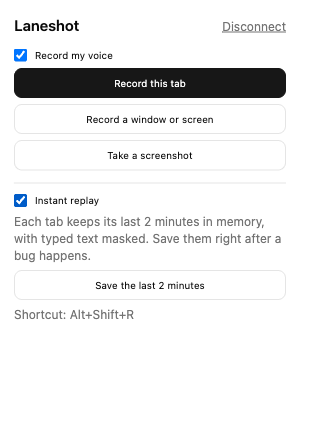
Show what went wrong
Click record in the browser extension, show the problem, and say what you expected. No screenshots to paste, no steps to write up.
Product and design
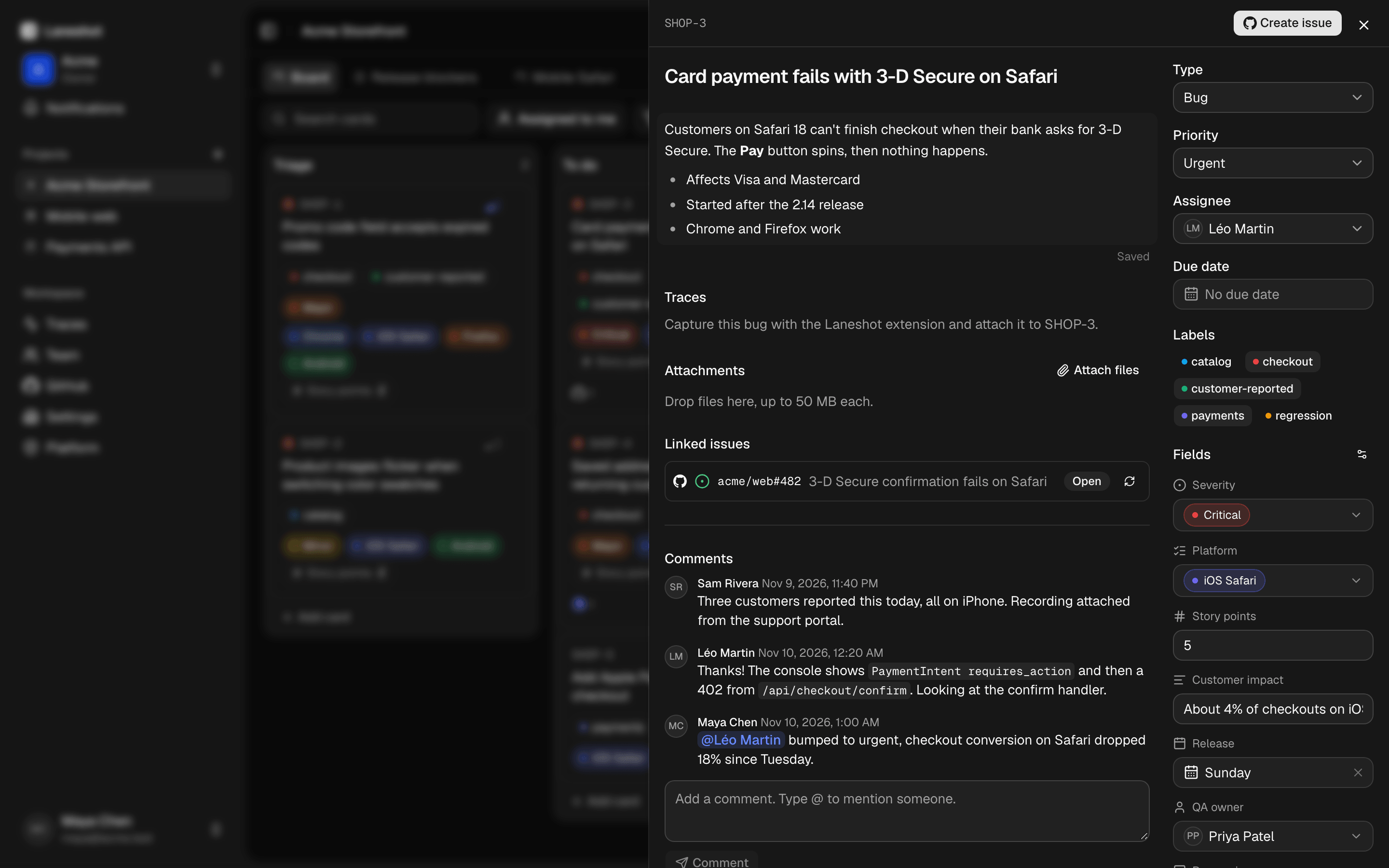
Read it, rank it, assign it
The capture lands on a card in plain language, next to everything else on the board. Set a priority, add a due date, and @mention whoever picks it up.
Engineering
Open the card, see the cause
The video sits on one timeline with the console, the network requests, and the user's actions. The failing request is right there, with its headers and bodies.
Works with the tools both sides already use
- GitHub
- Linear
- Jira
- Slack
- GitLab
- Sentry
- Asana
- Claude
- Notion
- Datadog
- Trello
- Cursor
- Azure DevOps
- Grafana
- Discord
- OpenTelemetry
- Microsoft Teams
- Jaeger
The people who find a bug and the people who fix it don't speak the same language.
- It's broken.
- Checkout doesn't work.
- The button does nothing.
- It was fine yesterday.
- The page is just blank.
- I can't log in.
- Something looks off on my phone.
- It's really slow today.
- 402 POST /api/checkout/confirm
- Error: Payment failed: authentication_required
- 0:10 screen recording
- PaymentIntent requires_action
- console: 2 errors
- Failed to load /assets/promo-banner.webp
- network: 2 failed
- iOS Safari
- x-request-id: req_91fa0e
Without the context
Customer success
Checkout doesn't work.
Developer
- Which browser?
- Which account?
- What did you click?
- Any error on screen?
- Can you do it again?
One vague report, five follow-up questions, and the answers end up on a board nobody outside engineering opens.
With Laneshot
SHOP-3Urgent
Card payment fails with 3-D Secure on Safari
Pay button fails after the 3-D Secure prompt0:10
- 2 console errors
- 2 failed requests
- User actions
- Environment
“It's broken” becomes a ticket a developer can fix without a single follow-up question.
Bugs that explain themselves.
Anyone on the team clicks record in the browser extension, shows the problem, and says what they expected. The console, the network requests, their actions, and their environment come along, attached to a card.
Missed it? Instant replay saves the last two minutes after something breaks.
Get the browser extensionWhat a capture can include
- Video of the screen
- Your voice
- Screenshots with annotations
- Console logs
- Network requests
- WebSocket messages
- User actions
- Web Vitals
- Environment details
- The last two minutes before recording
The error itself, with secrets masked
The console and the failing request sit on the same timeline as the video. Credentials in headers, sensitive query parameters, and sensitive JSON or form fields are masked in the browser, and again on the server. Typed text is never recorded.
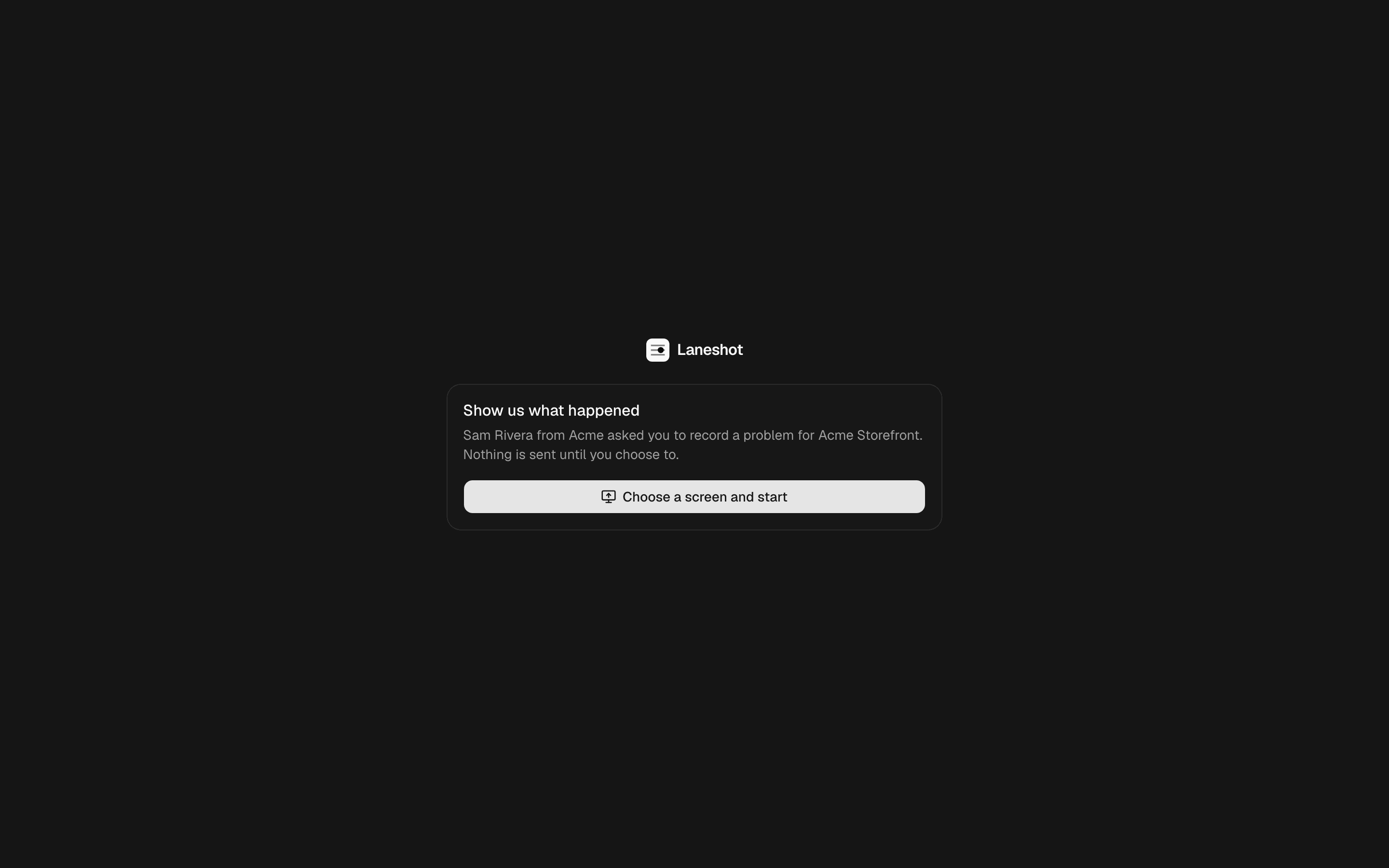
Customers can record too
Send a recording link. Your customer records their screen from the page it opens, without an account and without an extension.
Capturing a bug is free for everyone. Guests who report bugs, comment, or view never cost a seat.
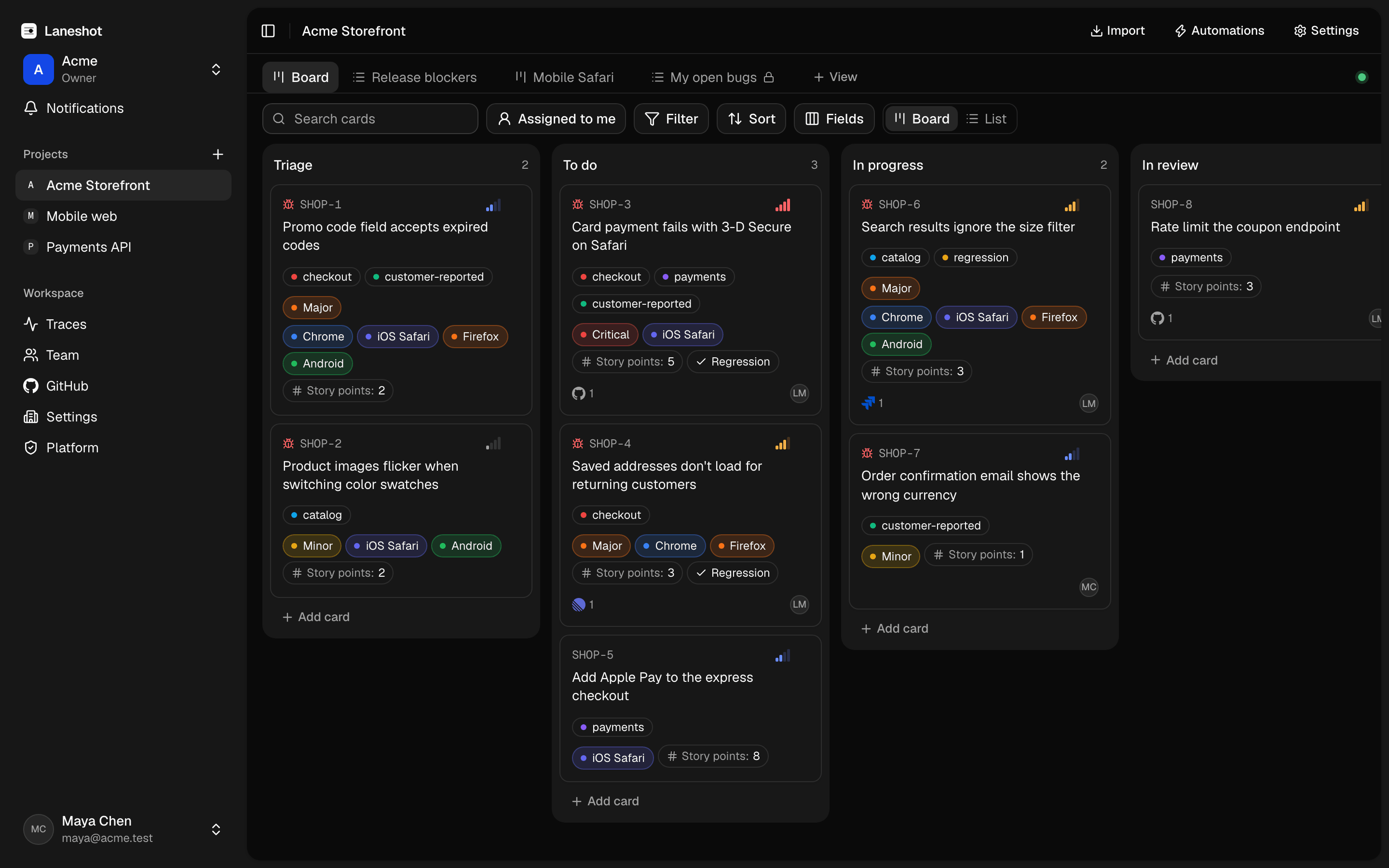
And the board is one your whole team already knows how to use.
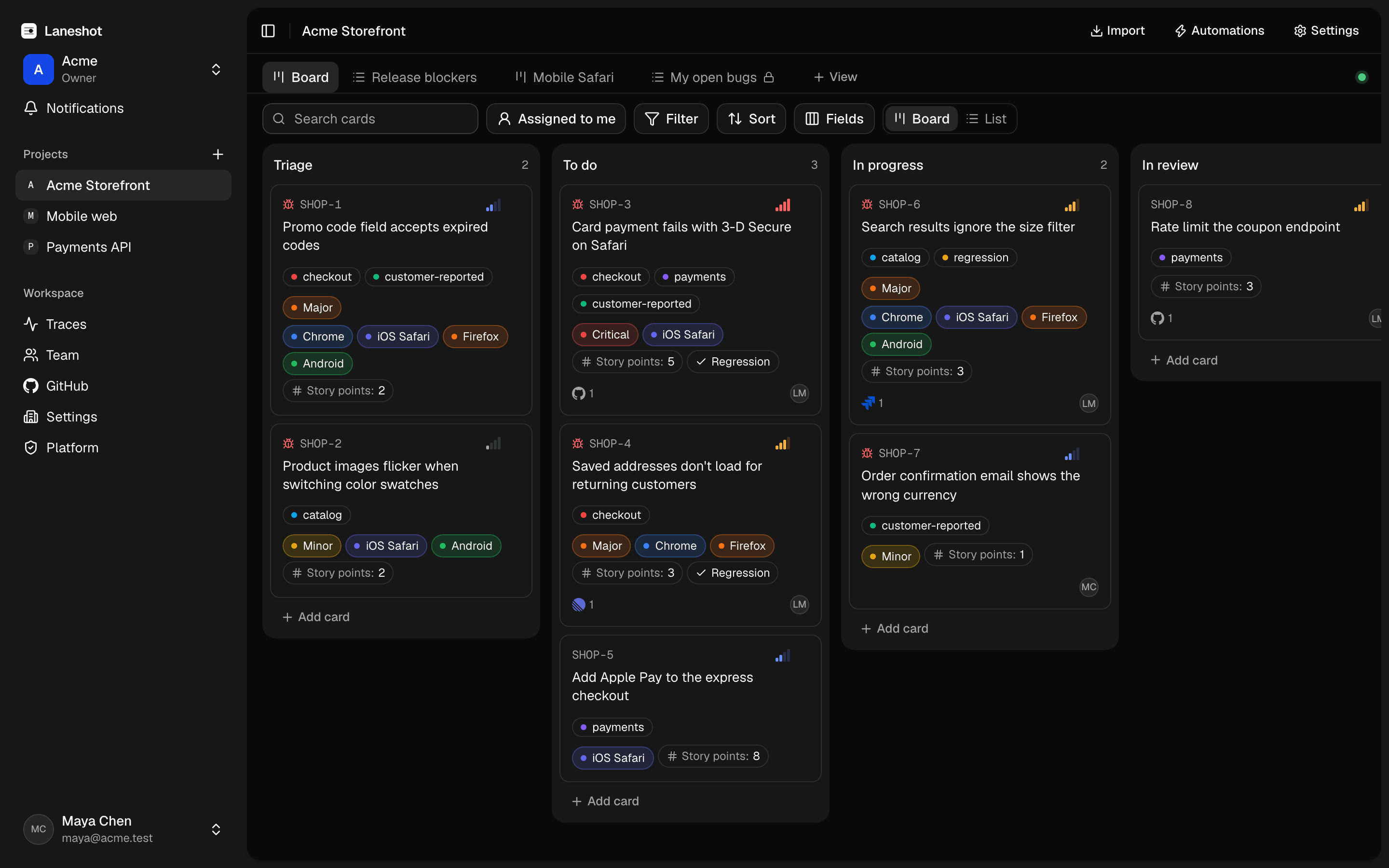
Drag a card from one column to the next. The board updates live for everyone, with avatars showing who's looking. Cards carry start and due dates, a priority, and labels.
Descriptions you write together
Several people edit the same description at once, and you see each other's cursors as you type. Press / for headings, checklists, and quotes. @mention a teammate to bring them in.
Custom fields and views
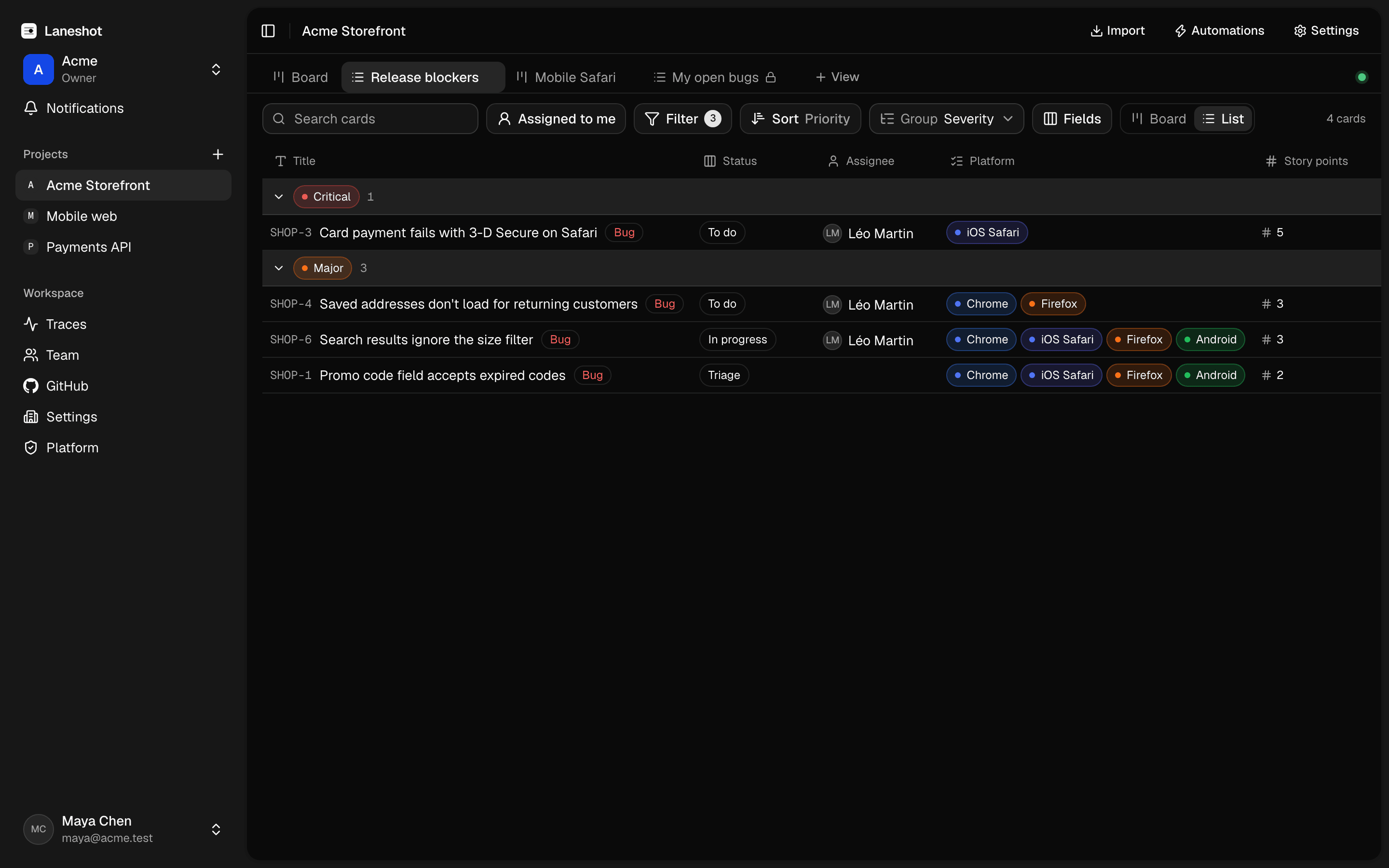
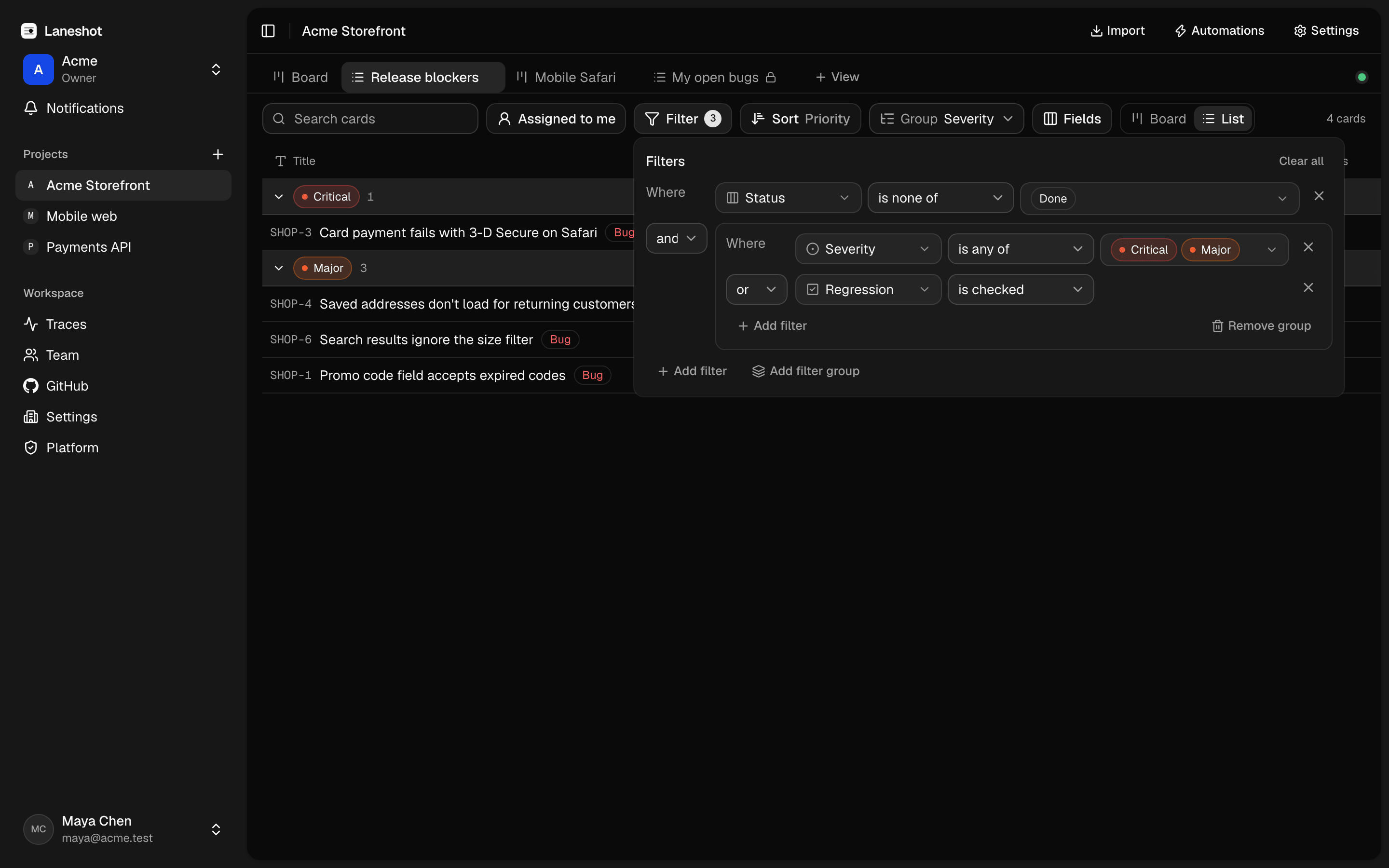
Add text, number, select, date, person, and checkbox fields to track what your team cares about. Then save views with their own filters, sorting, and grouping, as a board or as a list.
Your trackers stay in sync
Create an issue from a card, with the capture details and a link back already included. When the issue closes, the card moves.
- GitHub
- Linear
- Jira
- GitLab
- Asana
- Azure DevOps
- Notion
- Trello
Move in today
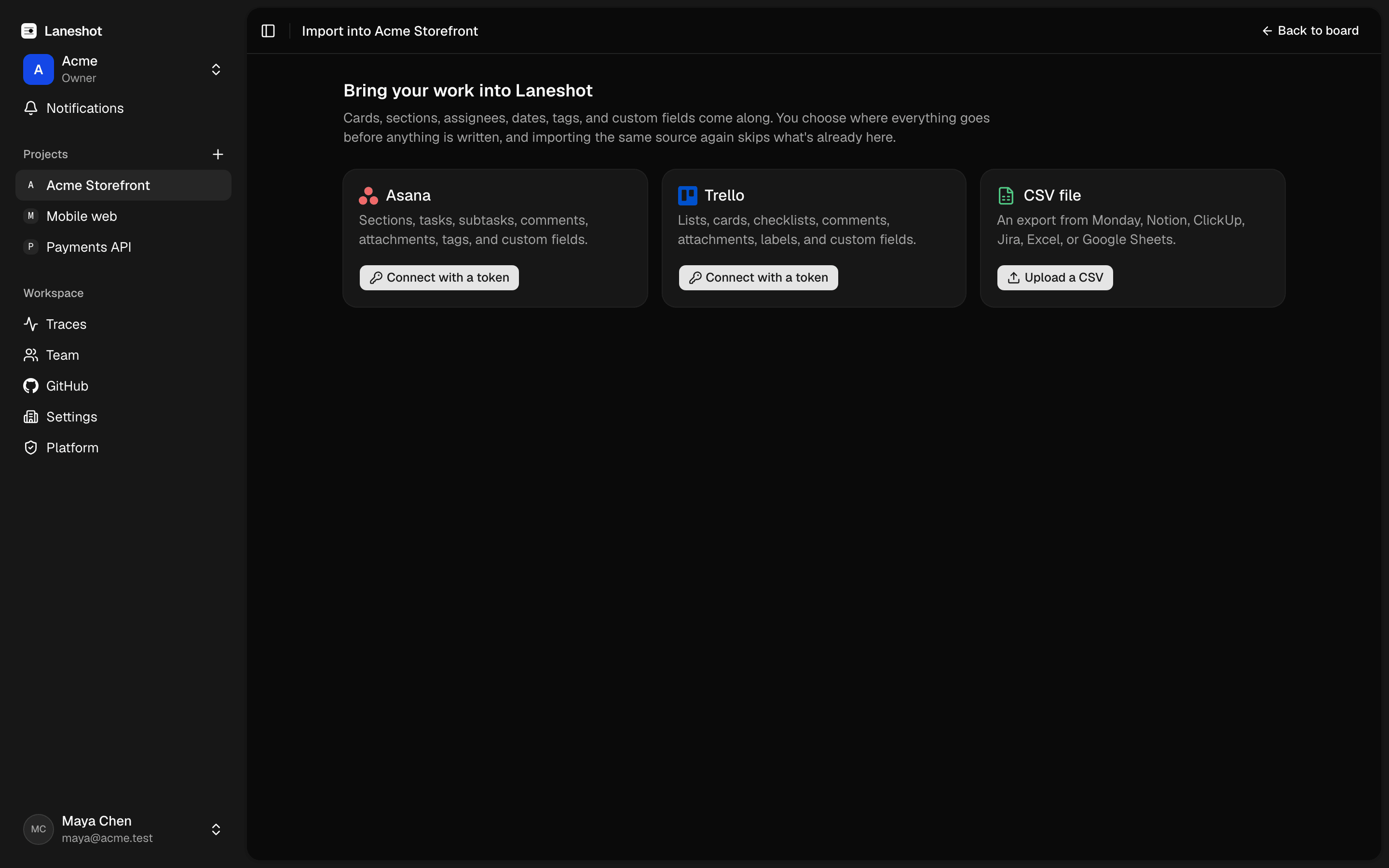
Import from Asana or Trello in one click, or from any tool's CSV export. Columns, assignees, custom fields, comments, and attachments come along. Run the import again later and it adds only what's new.
For the engineers on the team.
Everything on the board is also there for your scripts, your terminal, and your AI agents.
npx @laneshot/cli trace <trace-url> --markdown- API and SDK
- A REST API and a TypeScript SDK.
- CLI
- Read a capture from a terminal or a CI job with one command.
- AI agents
- An MCP server for Claude and Cursor, and Ask Claude on any trace.
- Backend telemetry
- Next to each capture, from OpenTelemetry, Sentry, Datadog, Grafana Tempo and Loki, Jaeger, or a custom endpoint.
- Automations
- With webhooks to Slack, Discord, and Microsoft Teams.
Pay for the people who manage the work. Everyone else is free.
Members create boards, assign cards, and run the project. Guests report bugs, comment, and view, and they never cost a seat.
Free
Small teams trying it
€0Free for as long as you like
Start free on the Free plan- Up to 2 members
- Unlimited guests
- Boards, custom fields, and views
- Browser extension
- Imports from Asana, Trello, and CSV
- Tracker integrations
- 30-day video retention
Pro
Growing teams
€9per member / month
Start free on the Pro plan- Everything in Free
- Unlimited members
- Automations
- 1-year video retention
Business
Companies with several teams
€15per member / month
Start free on the Business plan- Everything in Pro
- Transcripts and AI features
- 2-year video retention
Enterprise
Large or regulated companies
CustomTell us what you need
Contact us on the Enterprise plan- Custom video retention
- Support with an SLA
Guests are always free: anyone who reports bugs, comments, or views. You only pay for members who manage the work.
New members are billed prorated for the rest of the period. Cancel anytime from the billing page.
Questions, answered.
Who pays, and who's free?
You pay for members: the people who manage the work. Guests who report bugs, comment, or view never cost a seat, and you can invite as many as you like. The Free plan covers up to 2 members. On paid plans, new members are billed prorated for the rest of the period, and you can cancel anytime from the billing page.
Can I import from Asana or Trello?
Yes, in one click from Asana or Trello, or from any other tool's CSV export. Columns, assignees, custom fields, comments, and attachments come along. Running an import again adds only what's new.
Does it work with GitHub, Linear, or Jira?
Yes. Create an issue from a card in GitHub, Linear, Jira (Cloud and Data Center), GitLab, Asana, Azure DevOps, Notion, or Trello. The link goes both ways: when the issue closes, the card moves.
What does the extension record, and what about privacy?
A capture can include video, voice, annotated screenshots, console logs, network requests, WebSocket messages, user actions, Web Vitals, environment details, and the last two minutes before recording started. Credentials in headers, sensitive query parameters, and sensitive JSON or form fields are masked in the browser and again on the server, and typed text is never recorded. Pixels on screen are not masked, so screenshots have a hide tool for anything you'd rather not share.
Which browsers does the extension support?
Chrome, Edge, Firefox, and Safari.
Put the board and the bug in the same place.
Free to start. No credit card.